
How to Create an Alias or Park a Domain in cPanel
Note: The domain you want to park must point to the DNS of our server.
1. Log in to your cPanel account.
2. In the Domains section, click on Aliases.

3. Under Create a New Alias. enter the domain name you want to park in the text field.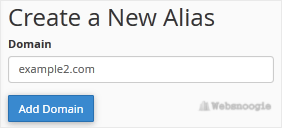
4. Click on Add Domain.
You should see a message that your domain has been parked.