
How to Change the Password of the FTP Account in cPanel
To change the main root FTP account, you have to change the password of your cPanel account. However, if you need to change the password of a specific FTP account, follow this instruction.
1. Log in to your cPanel account.
2. In the Files section, click on FTP Accounts.

3. Under the list of FTP accounts, click on Change Password and enter a new password. Alternatively, use the password generator to generate one.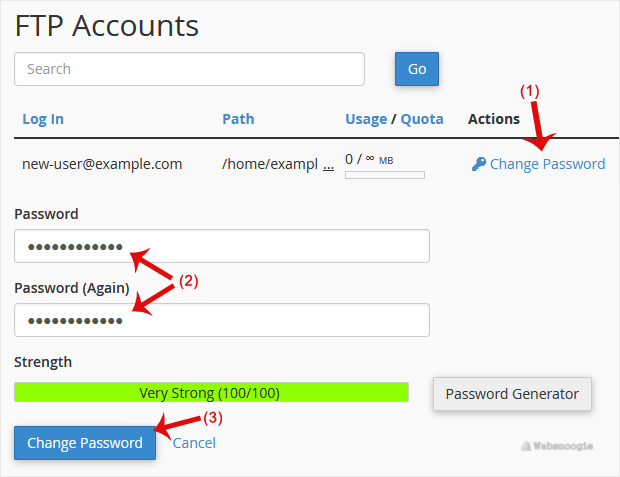
4. Click on Change Password.
Now you can access FTP with your new password.