
How to Remove an Email Account in SiteWorx
To remove an email account, perform the following steps:
1. Log in to your SiteWorx account.
2. In the Email section, click on Mailboxes.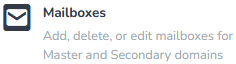
3. Select the email address you want to remove and choose Delete from the drop-down menu.
4. Click on Go and confirm with Delete.
You should see a success message that your email address has been removed.